
If you're planning to scale up your online business, understanding Shopify development is one of the most important investments you can make before selecting a platform or development partner.
This Shopify guide explains how Shopify development works, how it differs from basic store setup, the different types of development available, and where each approach delivers business value.
You'll also learn how custom architecture, integrations, headless commerce, and performance optimization influence long-term growth. Whether you're launching a new digital storefront or planning enterprise expansion, this guide will help you evaluate Shopify from both a technical and business perspective with greater confidence.
Explore our Shopify development guide to build, customize, optimize, and scale your eCommerce store with smart strategies and best practices.!

Your customers expect fast, personalized, and frictionless shopping experiences. At the same time, your business needs a platform that can scale with increasing traffic, expanding product catalogs, multiple markets, and evolving customer expectations.
That is where Shopify development becomes far more than simply launching an online store.
A professionally developed Shopify ecosystem helps you create exceptional customer experiences, integrate business systems, improve operational efficiency, and support long-term digital growth.
Whether you want to build Shopify website experiences from scratch, modernize an existing storefront, or evaluate enterprise capabilities, understanding the technical side of Shopify allows you to make informed investment decisions.
This comprehensive Shopify guide explains every major aspect of Shopify development from a business leader's perspective.
Find out which one is a smart choice for eCommerce: Shopify vs Magento vs WooCommerce
Over the past decade, Shopify has evolved from a startup-friendly platform into one of the world's leading commerce ecosystems. Today, businesses ranging from emerging direct-to-consumer brands to multinational enterprises rely on Shopify to power digital commerce.
Its popularity is not driven by marketing alone. It is built on reliability, continuous innovation, and an extensive development ecosystem that allows businesses to grow without rebuilding their entire technology stack.
Downtime directly affects revenue.
Shopify provides cloud-based infrastructure capable of handling: seasonal traffic spikes, flash sales, global campaigns, large product catalogs, and high order volumes.
Instead of maintaining servers yourself, you benefit from a platform designed for availability, scalability, and security.


Launching a new online store no longer requires months of infrastructure planning.
With the right custom Shopify development strategy, you can launch products faster, expand into new regions, introduce new customer experiences, test new business models, and support omnichannel commerce.
This allows your business to respond quickly to changing market demands.
One of Shopify's biggest strengths is its mature developer ecosystem.
You gain access to Shopify APIs, thousands of applications, certified development partners, theme architecture, headless commerce capabilities, commerce components, and automation tools.
This flexibility allows developers to build highly customized business solutions instead of relying solely on standard templates.
Learn about Shopify SEO Checklist for your eCommerce website.


Business requirements change over time. What works for a startup often becomes insufficient as your operations become more complex.
Shopify supports growth through features such as: multiple storefronts, international selling, B2B commerce, subscription models, wholesale portals, multi-location inventory, and enterprise integrations.
Instead of replacing your commerce platform every few years, you can continue expanding your capabilities.
For businesses looking to turn Shopify's scalability into sustainable revenue and customer growth, having a structured Shopify growth strategy can help align store optimization, customer acquisition, conversion, retention, and expansion efforts with long-term business goals.
Protecting customer information is essential.
Shopify manages much of the underlying security infrastructure, including: PCI DSS compliance, SSL certificates, platform security updates, fraud analysis, and secure payment processing.
This reduces technical overhead while helping you maintain customer trust.


Modern commerce depends on connected systems.
Shopify can easily be integrates with ERP platforms, CRM software, marketing automation, warehouse management systems, shipping providers, accounting software, and customer support platforms.
Professional development teams can also create custom integrations for unique operational requirements.
Expanding internationally introduces new operational challenges.
Shopify supports multiple currencies, multiple languages, local payment methods, regional pricing, international tax management, and localized shopping experiences.
Many enterprise organizations researching how to set up international multi-currency on Shopify store discover that successful implementation involves more than enabling currencies. It requires thoughtful configuration of payments, pricing, localization, and operational workflows.
Find out which one is better for Headless Commerce: Magento or Shopify


Unlike self-hosted commerce platforms that require major upgrades, Shopify continuously releases improvements across checkout capabilities, APIs, developer tools, AI-powered features, analytics, automation, and security.
Your business benefits from platform innovation without managing complex software upgrades internally.
Shopify development is the process of designing, building, customizing, integrating, optimizing, and maintaining Shopify-powered eCommerce experiences that align with your business objectives. It extends well beyond creating a storefront or installing a theme.
Professional development involves writing custom code, developing themes, building applications, integrating third-party systems, extending Shopify APIs, optimizing performance, and creating workflows that improve both customer experience and operational efficiency.
Depending on your business goals, Shopify development may include custom checkout experiences, ERP integrations, CRM connectivity, subscription functionality, B2B portals, automation, advanced search capabilities, or even fully decoupled storefronts using modern frontend frameworks.
Organizations evaluating Shopify Plus headless commerce development with next js often pursue this architecture to achieve greater design flexibility, faster user experiences, and improved scalability.
In simple terms, Shopify development transforms Shopify from a standard commerce platform into a customized digital commerce ecosystem built around your business.
Although these terms are often used interchangeably, they represent different levels of technical complexity.
Shopify store development focuses primarily on launching a functional online store using Shopify's existing features. This typically involves selecting a theme, configuring products, setting up payments, shipping, taxes, and basic branding.
Shopify development, on the other hand, involves building custom functionality that extends Shopify's native capabilities. Developers write code, integrate enterprise systems, create custom applications, optimize performance, develop APIs, and architect scalable commerce solutions that support long-term business growth.
If your objective is simply to launch an online store, a standard setup may be sufficient. However, if you require complex workflows, enterprise integrations, unique customer experiences, or advanced scalability, professional Shopify development becomes essential.
Discover Magento vs Shopify for B2B: Which one is better.
| Feature | Shopify Store Development | Shopify Development |
|---|---|---|
| Primary objective | Launch an online store | Build customized commerce solutions |
| Coding required | Minimal | Extensive |
| Theme customization | Basic configuration | Full custom development |
| Business logic | Standard Shopify features | Custom workflows and functionality |
| API usage | Limited | Extensive API integrations |
| Third-party integrations | Basic apps | Enterprise system integrations |
| Scalability | Suitable for small to medium businesses | Suitable for growing and enterprise businesses |
| Performance optimization | Basic | Advanced optimization techniques |
| Maintenance | Occasional updates | Continuous development and optimization |
| Best suited for | Businesses seeking quick deployment | Businesses requiring long-term digital transformation |
Every business has different technical requirements. Some organizations simply need a polished storefront, while others require enterprise integrations, custom applications, or highly interactive digital experiences.
Understanding the different branches of Shopify development helps you determine which investment aligns with your business strategy.
Theme development focuses on designing and building the customer-facing storefront.
Unlike installing a prebuilt theme, custom theme development creates unique shopping experiences using Shopify's Liquid templating language, JSON templates, HTML, CSS, and JavaScript.
Professional theme development typically includes:
The objective is to create a storefront that reflects your brand while maximizing usability and conversions.
Know the best Shopify themes for Sports Brands.
Every business has unique operational requirements that cannot always be solved using existing applications. Shopify app development allows developers to create custom software that extends Shopify's functionality.
Examples include:
Custom applications can be developed as private, custom, or public apps depending on your business needs.
This is one of the strongest areas of custom Shopify development because it allows your platform to evolve alongside your operations instead of forcing your business to adapt to software limitations.
Headless commerce separates the customer-facing frontend from Shopify's backend commerce engine.
Instead of rendering pages directly through Shopify themes, developers use modern frontend frameworks such as React or Next.js while Shopify manages products, checkouts, customers, and orders behind the scenes.
Businesses choose headless architecture to achieve:
Large organizations researching Shopify Plus headless commerce development with next js often adopt this approach to create premium digital experiences while retaining Shopify's commerce infrastructure.
Although headless development offers significant advantages, it also requires experienced developers and a larger technical investment.
An online store rarely operates in isolation. Your Shopify store may need to exchange data with multiple business systems.
Integration development connects Shopify with platforms such as:
Effective integrations reduce manual work, improve operational accuracy, and provide real-time visibility across your organization.
For enterprise businesses, integration development often becomes one of the most valuable components of a successful Shopify implementation.
Know the top traffic generation strategies for Shopify.
Successful Shopify development involves much more than designing an attractive storefront. Every high-performing Shopify store is built on multiple technical components that work together to create a secure, scalable, and conversion-focused commerce ecosystem.
Understanding these components helps you evaluate development partners, estimate project complexity, and prioritize investments that deliver long-term business value.
Your Shopify theme serves as the presentation layer of your online store. It influences how customers interact with your products, navigate categories, and complete purchases.
Selecting the right theme is only the starting point.
Professional development focuses on optimizing and customizing the theme to align with your business objectives rather than forcing your brand to fit predefined layouts.
Key activities include:
Selecting the right base theme → Customizing Liquid templates → Creating reusable sections and blocks → Building custom product templates → Optimizing category and collection pages → Improving navigation architecture → Developing responsive layouts → Creating landing pages for campaigns → Optimizing page hierarchy
Experienced developers also minimize unnecessary scripts, optimize template rendering, and reduce frontend complexity to improve loading speed.
Choose a theme that offers clean code architecture, mobile responsiveness, fast loading speed, flexible customization options, accessibility support, SEO-friendly structure, long-term maintainability, and compatibility with future platform updates.
Remember that even an excellent premium theme rarely satisfies enterprise requirements without additional development.
Modern eCommerce businesses rely on numerous applications to support day-to-day operations. App integration connects Shopify with tools that improve marketing, inventory, customer service, analytics, and business automation.
Common integrations include:
Before installing any application, developers evaluate:
Installing dozens of overlapping apps often creates unnecessary complexity and slows down your store.
Understand the difference betweenAdvanced Shopify vs. Shopify Plus.
APIs allow Shopify to communicate with external platforms. Instead of manually transferring information between systems, APIs automate data exchange.
Professional API development enables integrations with:
Developers commonly work with admin API, storefront API, GraphQL API, Webhooks, checkout APIs, and Customer Account APIs.
Typical API use cases include product synchronization, inventory updates, order processing, customer synchronization, pricing updates, shipping status, and real-time inventory visibility.
Robust API architecture reduces manual effort while improving operational accuracy.
Every second of delay can reduce conversions.
Performance optimization is one of the most valuable investments in Shopify development because it directly affects user experience, search visibility, and revenue.
Optimization activities include:
Strong Core Web Vitals improves customer satisfaction and organic visibility.
While app integration connects to existing software, custom app development creates entirely new functionality for your business. This becomes valuable when your workflows differ from standard Shopify capabilities.
Examples include Custom pricing engines, Dealer portals, Distributor management, Internal dashboards, Product configurators, Approval workflows, Sales representative portals, Manufacturing integrations, and Automated quotation systems.
Custom applications also improve scalability because they are built specifically around your operational requirements instead of forcing your teams to adapt to generic software.
Learn about the best Shopify development companies in India.
A successful Shopify project follows a structured development lifecycle. Skipping any phase often leads to expensive revisions later. Understanding this process allows you to manage expectations and evaluate project timelines more accurately.

Every successful project begins with business discovery.
Developers work with stakeholders to understand business goals, customer expectations, product catalog, sales channels, existing technology stacks, required integrations, growth plans, budget, and timeline.
During this phase, teams define functional requirements, technical architecture, user roles, project roadmap, risk assessment, and success metrics. Clear planning reduces costly changes during development.

Design is not only about aesthetics. Professional UI/UX focuses on improving customer interactions and simplifying purchasing decisions.
Design activities includes Customer journey mapping, Wireframes, User flows, Interactive prototypes, Brand integration, Navigation planning, Mobile interface design, and Checkout optimization.
Good design minimizes friction while helping customers find products faster.

Once designs are approved, developers begin building the storefront.
This phase includes Liquid development, JSON template creation, HTML structure, CSS styling, JavaScript functionality, Responsive layouts, Dynamic content, Product templates, Collection pages, and Checkout customization where supported.
Code quality during this phase significantly influences future maintenance costs.
Learn the cost of Shopify website development services .

After the storefront is functional, developers connect Shopify with business systems.
Typical integrations include: ERP, CRM, Payment gateways, Shipping providers, Warehouse software, Marketing platforms, Accounting systems, and Customer support tools.
API testing is performed throughout this stage to verify reliable communication between systems.

Testing is one of the most critical phases of any Shopify project.
Comprehensive testing includes:
Quality Assurance teams document issues before launch, allowing developers to resolve them systematically.

Launching a Shopify store requires careful planning.
Deployment activities typically include: Final code review, DNS updates, SSL verification, Analytics configuration, Redirect implementation, Search Console setup, XML sitemap validation, Backup creation, Monitoring tools, and Production deployment.
The project does not end on launch day.
Professional teams monitor: Checkout performance, Error logs, Traffic, Conversion rates, Customer behavior, and Server activity.
Immediate monitoring allows teams to resolve issues before they affect customers.
Following industry best practices improve reliability, scalability, and long-term maintainability. These practices separate enterprise-quality Shopify stores from basic implementations.

Professional development teams avoid editing production code directly.
Instead, they use structured workflows.
A typical workflow includes Git version control, Feature branches, Development environments, Staging environments, Shopify CLI, Automated deployment pipelines, Code reviews, and Documentation.
This process reduces deployment risks and simplifies collaboration.
Version control allows developers to:
It also supports continuous improvement without disrupting live operations.
Find out the 15 Shopify jewelry stores .

Fast websites create better shopping experiences. Performance optimization should remain an ongoing process rather than a one-time task.
Best practices include: Image compression, Responsive images, Lazy loading, Efficient JavaScript, Optimized CSS, Reduced app usage, CDN utilization, and Asset minification. Performance should be monitored regularly after launch.
Businesses researching the cost to migrate enterprise store to Shopify Plus often prioritize performance improvements as one of the primary business outcomes of migration, particularly when moving from slower legacy platforms.

Every design decision should support customer goals.
Conversion-focused development includes: Clear navigation, Fast product discovery, Simple checkout, Logical product categorization, Trust indicators, Clear calls to action, Accessible search, and helpful product information.
Improving usability frequently delivers greater business impact than adding new features.

Clean code supports future growth.
Developers should follow coding standards, remove obsolete scripts, update dependencies, document custom functionality, review integrations regularly, and refactor inefficient code.
Well-maintained code reduces future development costs.

Most online shoppers browse and purchase through smartphones. Mobile-first development prioritizes smaller screens during the design process.
Developers optimize navigation, product pages, images, checkout, forms, buttons, and search functionality.
Responsive design alone is no longer sufficient. Your mobile experience should feel purpose-built rather than adapted from a desktop layout.

Every integration introduces both opportunity and complexity.
Professional developers evaluate integrations based on business value, security, performance, API limits, vendor reliability, long-term compatibility, and maintenance requirements.
Rather than adding every available application, experienced teams build an integration strategy that supports your business objectives while keeping the technology stack manageable.
At this stage, you should understand that Shopify development extends well beyond creating a visually appealing storefront. It combines architecture, frontend development, backend logic, integrations, APIs, testing, optimization, and ongoing maintenance into a unified commerce ecosystem.
Following proven development processes and best practices allow your business to build a platform that supports sustainable growth instead of creating technical debt.
Study what you need to start a clothing eCommerce website on Shopify.
Even with a powerful commerce platform, projects can fall short if development decisions are made without a long-term strategy. Many businesses invest heavily in new features but overlook the fundamentals that influence scalability, performance, and customer experience.
Understanding these common challenges helps you reduce risk and maximize the return on your Shopify investment.
One of the most frequent mistakes is building functionality that exceeds your current business requirements.
Adding unnecessary custom features, complex workflows, or excessive automation can increase development costs, extend project timelines, complicate maintenance, create future compatibility issues, and slow down deployment.
Prioritize features based on measurable business value.
Ask questions such as:
Start with essential capabilities and expand as your business grows.
Mobile commerce continues to account for a significant share of online shopping. A store that performs well on desktop but poorly on smartphones will struggle to convert visitors.
Common mobile issues include small tap targets, poor navigation, slow image loading, long checkout forms, difficult product filtering, and layout shifts.
Adopt a mobile-first development approach by:
Your mobile experience should support quick browsing and effortless purchasing.
A visually appealing store loses its impact if customers must wait for pages to load.
Performance issues often result from oversized images, excessive JavaScript, poorly optimized themes, too many third-party apps, and inefficient API calls.
Slow websites can negatively affect customer satisfaction, conversion rates, search visibility, and revenue.
Monitor performance regularly using metrics such as:
Treat performance optimization as an ongoing process rather than a one-time task.
The Shopify App Store offers thousands of applications, but installing multiple apps without a strategy can create unnecessary complexity.
Common problems include duplicate functionality, increased page weight, script conflicts, security concerns, and additional subscription costs.
Evaluate each app based on:
Whenever possible, consolidate overlapping functionality into fewer, high-quality applications.
Learn about the best Shopify websites around the world.
Launching without comprehensive testing often results in avoidable issues that affect both customers and internal teams.
Potential problems include checkout failures, broken links, payment errors, incorrect pricing, inventory synchronization issues, and browser compatibility problems.
Develop a structured testing process covering:
Testing should continue after deployment as new features and integrations are introduced.
Search engine optimization should begin during development rather than after launch. Technical decisions influence how search engines discover, understand, and rank your store.
Common SEO issues include poor URL structure, Duplicate content, missing metadata, slow page speed, improper heading hierarchy, and broken redirects.
Incorporate SEO into your development workflow by focusing on:
Technical SEO should work alongside your content strategy to improve long-term visibility.
Accessibility is no longer optional for businesses serving diverse audiences. An accessible store allows more people to browse, understand, and purchase your products.
Common accessibility issues include poor color contrast, missing alternative text, keyboard navigation limitations, inaccessible forms, confusing navigation, and inconsistent focus indicators.
Develop according to recognized accessibility standards by:
Accessibility improvements often benefit every customer, not only those using assistive technologies.
Migrating from another eCommerce platform involves more than transferring products.
Incomplete migration can lead to lost customer records, missing order history, broken URLs, incorrect inventory, SEO ranking losses, and product duplication.
Create a detailed migration plan covering:
Many enterprises evaluating the cost to migrate enterprise store to Shopify Plus discover that migration planning, testing, and validation represent a significant portion of the overall investment. A structured migration process reduces business disruption and protects valuable historical data.
A performance audit provides a clear picture of how effectively your Shopify store supports customer experience, search visibility, and business growth.
Rather than relying on assumptions, you should review measurable technical indicators and identify opportunities for improvement.
For a more detailed breakdown of the audit process, tools, technical checks, and optimization opportunities, explore our Shopify Store Performance Audit: A Complete Optimization Checklist.
Core Web Vitals provide standardized metrics for evaluating user experience.
Focus on these key indicators:
| Metric | What It Measures | Recommended Target |
|---|---|---|
| Largest Contentful Paint (LCP) | Loading performance | Under 2.5 seconds |
| Interaction to Next Paint (INP) | Responsiveness | Under 200 milliseconds |
| Cumulative Layout Shift (CLS) | Visual stability | Under 0.1 |
Prioritize features based on measurable business value.
Ask questions such as:
Start with essential capabilities and expand as your business grows.
Measure loading performance across your most important pages, including homepage, collection pages, product pages, cart, checkout (where measurable), blog pages, and landing pages. Pay attention to initial server response, image loading, script execution, render-blocking resources, and total page size.
Large media files and excessive third-party scripts frequently become the biggest performance bottlenecks.
Your theme directly influences speed and maintainability. Review unused templates, duplicate code, large JavaScript files, excessive CSS, outdated snippets, and theme compatibility with current Shopify architecture.
Custom themes should also be documented properly to simplify future updates.
Every installed app adds complexity. Review each application and ask
Removing unused applications often delivers immediate performance improvements.
Review your store's technical foundation by checking XML sitemap, Robots.txt configuration, canonical tags, structured data, internal linking, broken links, redirects, image optimization, meta titles, and meta descriptions.
Technical SEO issues should be corrected before investing heavily in content marketing.
Mobile audits should include navigation usability, search functionality, product filtering, checkout flow, button sizes, form completion, and image scaling.
Complete important shopping tasks using your own smartphone to identify practical usability issues.
Evaluate third-party integrations, API stability, user permissions, payment gateway configuration, customer data handling, and backup strategy.
A stable integration ecosystem contributes to both operational efficiency and customer trust.
Technical performance should be evaluated alongside customer behavior.
Review analytics for bounce rate, exit pages, conversion rate, cart abandonment, average session duration, search usage, product discovery paths.
Combining technical metrics with behavioral insights helps you prioritize improvements that have the greatest business impact.
Know how to use Shopify analytics to drive business growth.
Use this checklist during quarterly or biannual reviews:
| Audit Area | Review Items |
|---|---|
| Speed | Core Web Vitals, page speed, image optimization |
| Theme | Code quality, template efficiency, responsive design |
| Apps | Performance impact, redundancy, maintenance |
| SEO | Metadata, structured data, indexing, redirects |
| Mobile | Navigation, checkout, usability, responsiveness |
| Security | Permissions, integrations, payment configuration |
| Analytics | Conversion rate, bounce rate, customer behavior |
| Maintenance | Platform updates, app compatibility, documentation |
A structured audit helps you identify technical debt before it affects revenue.
Ask questions such as:
Artificial intelligence is becoming a practical business tool rather than experimental technology. When integrated thoughtfully, AI can improve customer experiences, simplify operations, and support faster business decisions.
The greatest value comes from applying AI to areas where it creates measurable business outcomes.
Traditional keyword searches often fail when customers use conversational language.
AI-powered search can interpret intent, correct spelling mistakes, understand synonyms, deliver more relevant product results, and improve product discovery.
This helps customers locate products faster while reducing frustration.
AI analyzes customer behavior to recommend relevant products based on factors such as browsing history, purchase history, frequently viewed products, similar customer behavior, and seasonal trends.
Effective recommendations can increase Average Order Value (AOV), repeat purchases, customer engagement, and cross-selling opportunities.
AI can automatically organize product collections using business rules and customer demand.
Examples include trending products, best sellers, seasonal collections, inventory availability, customer preferences, and profitability. Dynamic merchandising keeps storefronts relevant without requiring constant manual updates.
Modern AI assistants can handle routine customer questions such as order tracking, shipping information, return policies, product availability, and frequently asked questions. This allows support teams to focus on more complex customer requests.
Inventory decisions become more accurate when AI evaluates historical sales, seasonal demand, regional buying patterns, marketing campaigns, and supply chain trends. Improved forecasting reduces both stock shortages and excess inventory.
Study the top 12 Shopify SEO Tips .
AI can improve marketing campaigns by helping you segment customers, personalize email content, recommend promotions, predict customer lifetime value, and optimize advertising campaigns. These capabilities support more relevant customer communication.
AI continuously analyzes transaction patterns to identify unusual purchasing behavior. Potential benefits include reduced fraudulent orders, faster risk detection, better payment security, and lower chargeback rates.
AI can assist your marketing teams by generating product descriptions, SEO metadata, category introductions, email drafts, advertising copy, and frequently asked questions. Human review remains essential to maintain brand consistency and factual accuracy.
AI helps executives interpret large volumes of commerce data by identifying revenue trends, customer segments, product performance, operational bottlenecks, and growth opportunities.
Instead of manually reviewing dashboards, decision-makers receive actionable insights more quickly.
AI models can estimate future outcomes such as customer churn, product demand, marketing performance, inventory requirements, and sales forecasts. Predictive insights support proactive planning rather than reactive decision-making.
| Business Area | AI Capability | Potential Business Impact |
|---|---|---|
| Search | Intent-based search | Better product discovery |
| Merchandising | Dynamic collections | Increased conversions |
| Marketing | Customer segmentation | Higher campaign performance |
| Customer Support | AI assistants | Faster response times |
| Inventory | Demand forecasting | Improved stock management |
| Analytics | Predictive insights | Better strategic decisions |
| Fraud Prevention | Transaction monitoring | Reduced financial risk |
| Personalization | Product recommendations | Higher Average Order Value |
Technical excellence alone does not guarantee long-term success. Your Shopify store should be secure, accessible, fast, and easy to maintain while continuing to evolve with changing customer expectations.
Regular performance audits, disciplined development practices, and thoughtful AI adoption help you build a commerce platform that supports sustainable growth and delivers measurable business value.
Discover 5 best global eCommerce platforms .
Launching your Shopify store is the beginning of its lifecycle, not the end. As your business grows, your storefront, integrations, and customer expectations will continue to evolve. Regular maintenance helps you maintain performance, compatibility, and a consistent shopping experience.
A structured maintenance plan also minimizes unexpected issues that can affect revenue or customer satisfaction.

Performance should be reviewed regularly rather than only when problems arise.
Track metrics such as page loading speed, Core Web Vitals, conversion rate, bounce rate, cart abandonment, search performance, server response times, and error logs. Establish monthly or quarterly reviews to identify trends before they become business issues.

Your Shopify theme should evolve alongside platform improvements.
Regular updates help you improve compatibility, resolve known issues, support new Shopify features, maintain security, and improve performance. If you use a heavily customized theme, test every update in a staging environment before deploying it to production.

Applications receive updates throughout the year.
While these updates often introduce new capabilities, they can also create compatibility issues. Review your installed apps regularly to remove unused apps, replace unsupported applications, test new versions, validate integrations, and monitor performance impact.
A lean technology stack is generally easier to maintain and troubleshoot.

Every change should be validated before it reaches customers. Regression testing confirms that new updates have not affected existing functionality.
Review critical workflows such as product browsing, search, cart functionality, checkout, customer login, payment processing, shipping calculations, and promotional discounts. This practice helps reduce unexpected disruptions after deployments.
Study the difference between Shopify vs. Shopify Plus.

Third-party systems frequently evolve. Review integrations with ERP platforms, CRM software, shipping providers, marketing tools, payment gateways, and warehouse systems. Confirm that data continues to synchronize correctly and investigate any failed API requests promptly.

Although Shopify manages much of the platform's security infrastructure, your business still plays an important role.
Best practices include reviewing staff permissions, removing inactive user accounts, enabling multi-factor authentication, monitoring app permissions, reviewing API credentials, and rotating sensitive access tokens when appropriate.
Security reviews should become part of your operational routine.

Technical SEO requires ongoing attention. Regularly review broken links, redirects, structured data, metadata, XML sitemap, internal linking, duplicate content, and indexing status. Consistent maintenance protects your organic search visibility over time.

Your customers provide valuable insights through their interactions. Review analytics to identify high-performing landing pages, exit pages, search queries, conversion funnels, product engagement, device usage, and geographic trends.
These insights can guide future development priorities.
Rather than making large, infrequent changes, adopt a continuous improvement strategy.
Maintain a prioritized roadmap that includes new features, UX enhancements, performance improvements, technical debt reduction, AI initiatives, and integration upgrades. Small, measurable improvements often deliver stronger long-term results than major redesigns.
There is no universal price for Shopify development. Costs depend on your business objectives, project complexity, integrations, custom functionality, and long-term growth plans.
Instead of focusing solely on development expenses, evaluate the total business value the project will deliver over several years.
Your investment is influenced by several variables store complexity, number of products, custom design requirements, theme customization, custom application development, third-party integrations, ERP and CRM connectivity, headless architecture, international expansion, migration requirements, ongoing maintenance, and testing and quality assurance.
The greater the technical complexity, the more planning and development effort your project will require.
Mid-market businesses typically require, professional UI/UX, custom theme modifications, moderate integrations, performance optimization, SEO implementation, and basic automation,
Approximately ₹1.5 Lakhs to ₹2.5 Lakhs. The final cost depends on design complexity, integrations, and custom functionality.
Know the top 7 mistakes to avoid during Shopify web development.
Enterprise implementations often include multiple storefronts, ERP integration, CRM integration, PIM synchronization, B2B capabilities, advanced automation, custom applications, enterprise security, complex migration, and headless architecture.
Approximately over ₹5 Lakhs. Global commerce implementations with extensive customization may exceed these ranges.
Organizations evaluating Shopify Plus headless commerce development with next js should also account for frontend development, API architecture, ongoing maintenance, and specialized technical expertise.
Your total project budget may also include Shopify subscription plans, Shopify Plus licensing, premium applications, custom integrations, content migration, product photography, performance optimization, staff training, maintenance retainers, and analytics implementation.
Planning for these items early helps reduce unexpected costs during implementation.
A successful Shopify implementation is a long-term investment.
When evaluating proposals, consider scalability, code quality, documentation, future maintenance, platform flexibility, developer expertise, and long-term support. The lowest quote is not always the most cost-effective decision over the lifetime of your commerce platform.
As your business grows, technical complexity increases. Managing that complexity requires specialized knowledge that extends beyond basic store configuration.
An experienced Shopify developer helps you build a platform that supports your business objectives today while remaining adaptable for future growth.

Professional developers understand Shopify architecture, Liquid development, APIs, theme customization, performance optimization, integrations, security best practices, and enterprise workflows. This expertise helps reduce technical risks during implementation.

Business growth introduces new requirements such as higher traffic, larger product catalogs, multiple markets, additional sales channels, and advanced customer experiences.
Experienced developers create flexible architectures that support future expansion without requiring complete rebuilds.
Discover the 7 Shopify Plus limitations that you should be aware of.

Specialists identify opportunities to reduce loading times, improve Core Web Vitals, optimize frontend assets, minimize unnecessary scripts, and improve customer experience. These improvements often contribute to stronger conversion rates and better search performance.
Your business processes may not fit standard Shopify capabilities. Professional developers can build custom applications, business automation, dealer portals, approval workflows, product configurators, ERP integrations, and CRM synchronization.
This allows your technology to support your operations instead of limiting them.

Well-structured development often reduces future maintenance expenses by writing clean code, following development standards, documenting custom functionality, building reusable components, and simplifying future enhancements.
Investing in quality during the initial project frequently lowers long-term ownership costs.

Shopify development is not only about launching an online store. It enables broader business initiatives such as Omnichannel commerce, international expansion, customer personalization, AI integration, business automation, and operational efficiency.
An experienced development partner helps align technical decisions with strategic business goals.
Fidn out a comprehensive guide to Shopify App development .
Choosing Shopify is only the first step in building a successful digital commerce business. The real value comes from how effectively the platform is planned, developed, integrated, optimized, and maintained over time.
Throughout this Shopify guide, you've explored the technical foundations of Shopify development, the differences between standard store setup and advanced development, the major development approaches, best practices, performance optimization strategies, AI opportunities, and long-term maintenance considerations.
Whether your objective is to build Shopify website experiences for a growing brand, invest in custom Shopify development, modernize enterprise operations, or expand into global markets, informed technical decisions will have a lasting impact on customer experience and business growth.
By working with experienced Shopify professionals and following a structured development strategy, you can create a scalable commerce platform that supports innovation, operational efficiency, and sustainable growth for years to come.
The cost depends on project complexity, design requirements, integrations, and custom functionality. Mid-market Shopify projects generally range from ₹1.5 to ₹2.5 Lakhs, while enterprise Shopify Plus implementations often start around ₹5 Lakhs and can exceed ₹15 Lakhs for large-scale commerce ecosystems.
Look for a Shopify expert with proven experience in performance optimization. They should demonstrate expertise in Core Web Vitals, Liquid development, JavaScript optimization, image optimization, theme architecture, app performance analysis, and technical SEO.
Request case studies, performance benchmarks, and a structured optimization methodology before making your decision.
Your migration partner should have experience with enterprise data migration, SEO preservation, ERP and CRM integrations, redirect planning, performance optimization, quality assurance, and post-launch support.
They should also provide a detailed migration strategy, rollback plan, testing framework, and documentation to minimize business disruption.
Headless Shopify is a strong option when your business requires advanced user experience, faster frontend performance, omnichannel commerce, or extensive design flexibility.
However, it also introduces additional development and maintenance responsibilities. Evaluate your technical resources, business goals, and expected return on investment before selecting a headless architecture.
Setting up international multi-currency capabilities involves more than enabling additional currencies. You should configure regional pricing, local payment methods, tax settings, shipping rules, language localization, market-specific domains, and customer experiences.
Businesses researching how to set up international multi-currency on Shopify store should also review Shopify Markets, payment gateway compatibility, and operational workflows to deliver a consistent experience across every region.

Starting a dropshipping business on Shopify is an excellent way to enter the eCommerce world with minimal risk and investment. This comprehensive guide covers everything you need to know about Shopify dropshipping, from selecting a profitable niche to optimizing your store for success.

Exploring the web of eCommerce solutions, we came across a variety of Shopify stores that have utilized the platform in a way that they can be in the list of best sportswear websites. This blog explores the importance of utilizing Shopify stores to build powerful, user-friendly sportswear websites.
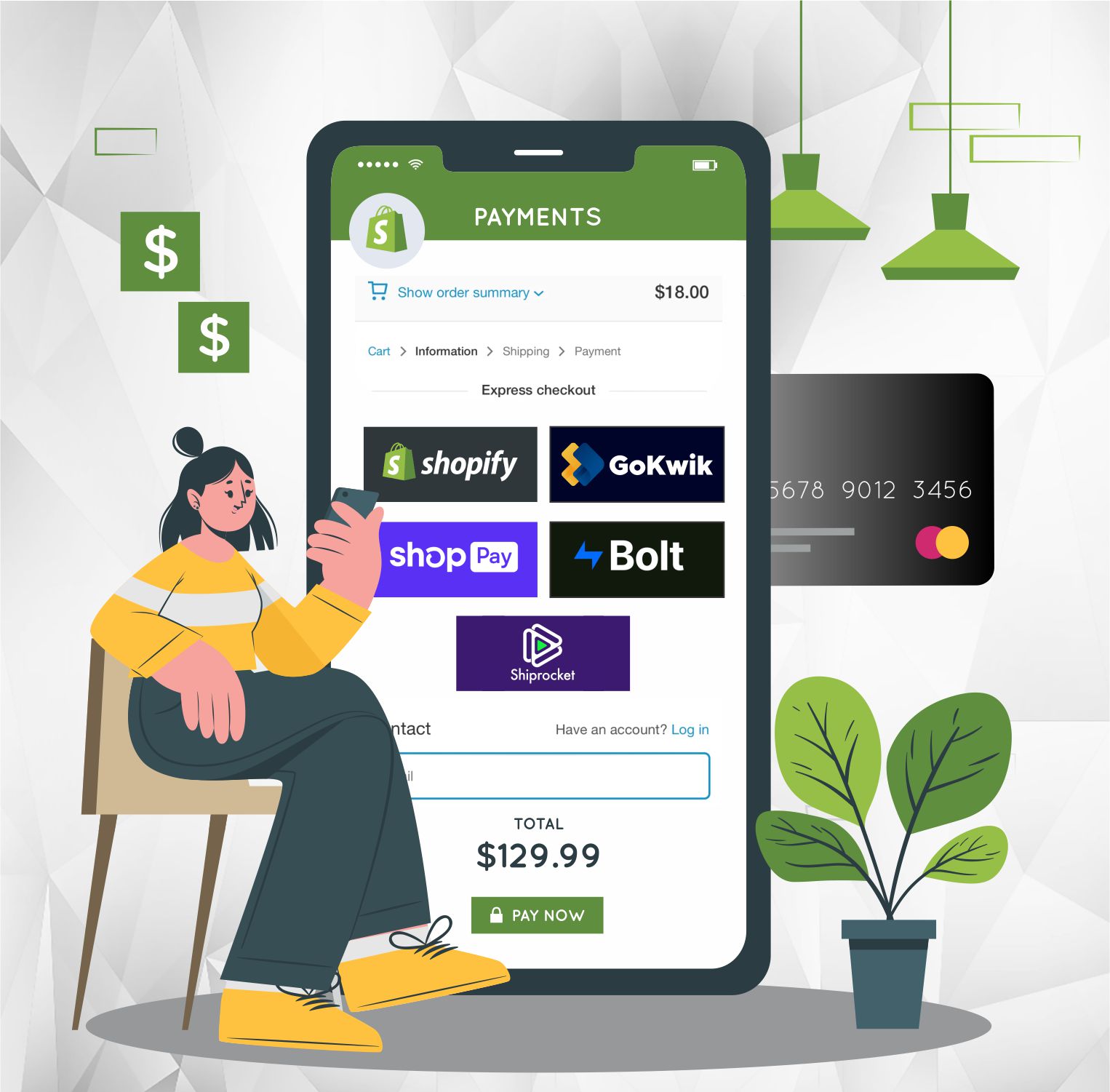
The competitive eCommerce world requires a secure and efficient checkout process for converting visitors into loyal customers, particularly for innovative platforms like a Shopify Store.This blog will take you through the top 5 tools for quick Shopify checkout such as Shopify Checkout, Gokwik, Shop Pay, Bolt, and Shiprocket. Each of these Shopify checkout tools offers unique features to simplify the Shopify checkout process, reduce cart abandonment, and boost conversion rates.
We would love to be a part of your journey to success. Let's team up today!