
Your Shopify store may attract visitors every day, but traffic alone does not generate revenue. Slow pages, inefficient apps, poor mobile usability, and hidden technical issues can reduce conversions without obvious warning signs.
This guide explains how to conduct a complete Shopify store audit with a strong focus on performance, user experience, and business growth. You will learn what to evaluate, which tools to use, how to interpret technical metrics, and which improvements deliver the greatest impact.
By following this practical framework, you can identify performance bottlenecks, prioritize fixes, and build a faster, more profitable Shopify store.
Learn how a Shopify performance audit improves store speed, mobile UX, Core Web Vitals, and conversions with practical optimization guidance.

Every extra second your website takes to load can cost you customers, revenue, and valuable search visibility. Visitors expect fast navigation, responsive pages, and a seamless buying experience.
If your Shopify store struggles with speed, usability, or technical inefficiencies, shoppers rarely wait for improvements. They simply move to a competitor. A structured Shopify store audit helps you uncover these hidden obstacles before they become expensive business problems.
Instead of relying on assumptions, you evaluate measurable performance indicators, identify technical bottlenecks, and prioritize improvements that create better customer experiences, stronger search performance, and higher conversion rates.
For businesses looking to understand the broader process of building, scaling, and optimizing a Shopify store, explore our Ultimate Guide to Shopify Development.
Many businesses only investigate website performance after experiencing declining sales or customer complaints. By that stage, several technical issues may already be affecting user experience and revenue.
A performance audit gives you a structured method for identifying problems before they grow into larger operational challenges. Below are the most important areas every executive should evaluate.
Know the traffic generation strategies for Shopify.

Search engines increasingly reward websites that deliver excellent user experiences. Loading speed, responsiveness, and visual stability are all measurable ranking signals.
If your store loads slowly or reacts poorly to user interactions, search engines may view it as a lower-quality experience.
Google measures your website using Core Web Vitals, including:
Poor scores reduce both user satisfaction and organic visibility.
These tools identify performance bottlenecks and recommend improvements for Shopify Website Performance.

Visitors form an opinion about your website within seconds. Even a visually attractive store loses credibility when pages hesitate, images appear slowly, or navigation feels unresponsive.
Every visitor action triggers browser processes such as:
When these processes compete for browser resources, visitors experience delays that increase abandonment rates.
These reports reveal exactly which resources delay page rendering.

Website speed affects every stage of the buying journey. A customer who waits several seconds for product pages or checkout screens may never complete the purchase.
Performance issues often originate from:
These issues consume browser processing time before shoppers can interact with your website.
Together, these tools reveal where customers abandon the purchase journey.
Learn about the best Shopify development companies in India in 2025.

Many Shopify stores continue adding apps without evaluating their long-term impact. Every installed application introduces additional scripts, API requests, stylesheets, or background processes. Over time, these layers create unnecessary complexity.
Each application may:
Even unused apps may leave behind residual code.
These reports help identify unnecessary assets affecting Shopify performance optimization.

More than half of Shopify traffic now comes from smartphones. A desktop-friendly design alone no longer reflects real customer experiences.
Mobile devices typically have:
Pages that feel fast on desktop may perform poorly on mobile devices.
Comparing both environments provides a clearer picture of Shopify Website Performance.

Many merchants assume their theme is fully optimized simply because it looks modern. Appearance and technical efficiency are not the same.
Themes contain:
Poorly structured templates increase rendering complexity and delay visible content.
These tools reveal rendering inefficiencies affecting Shopify Store Optimization.
Discover how to increase organic traffic for your eCommerce website.

Not every performance issue deserves immediate attention. A proper audit helps you separate cosmetic issues from revenue-impacting problems.
Performance data reveals:
Instead of guessing, you make informed business decisions backed by measurable evidence.
Together, these platforms create a complete diagnostic picture for your Shopify store checklist.
A Shopify store audit evaluates how efficiently your online store performs across speed, responsiveness, infrastructure, usability, technical SEO, and conversion readiness.
Rather than focusing only on appearance or marketing, it examines the underlying systems that influence how quickly your website loads, responds to customer interactions, and supports business growth.
The objective is to identify technical bottlenecks, prioritize improvements based on business impact, and create a measurable roadmap for continuous optimization.
Unlike one-time website reviews, performance audits rely on data collected from industry-standard diagnostic tools, real user behavior, and technical benchmarks. The outcome is a prioritized action plan rather than a simple list of observations.
Find out the top 15 Shopify jewelry stores for inspiration.
A comprehensive performance audit examines every technical layer that contributes to website responsiveness and stability.
The audit evaluates how quickly your store delivers content to visitors by reviewing server response time, CDN performance, DNS resolution, cache behavior, and geographic content delivery.
These metrics determine how rapidly your website begins rendering content across different regions.
Your Shopify theme serves as the foundation of every page. During the audit, experts review Liquid template efficiency, theme structure, dynamic sections, CSS organization, JavaScript bundles, render-blocking resources, and template duplication.
An optimized theme reduces unnecessary browser work while improving maintainability.
Modern Shopify stores depend heavily on JavaScript. However, excessive scripting often delays user interaction. The audit measures main-thread blocking, JavaScript execution time, unused code, third-party scripts, event listeners, and deferred loading opportunities.
Understanding these metrics becomes especially valuable when researching how to reduce JavaScript execution time on a Shopify store.
Apps provide valuable functionality but frequently become the largest source of performance degradation. A detailed review includes script loading order, API requests, pixel tracking, background services, duplicate functionality, and residual code from removed apps.
This analysis supports long-term Shopify Store Optimization without sacrificing essential business features.
Large media files remain one of the most common causes of slow websites. An audit evaluates image formats, compression quality, responsive sizing, lazy loading, video embedding, and asset delivery.
Modern formats such as WebP and AVIF reduce payload size while maintaining visual quality.
Technical specialists review Google's most important user experience metrics: Largest Contentful Paint (LCP), Cumulative Layout Shift (CLS), Interaction responsiveness, First Contentful Paint, and Total Blocking Time.
Businesses investigating how to fix Interaction to Next Paint (INP) on Shopify typically begin by reviewing these measurements because they directly reflect how responsive a website feels during customer interactions.
The audit also evaluates how visitors move through the buying process. Common checkpoints include homepage performance, collection pages, product pages, cart functionality, checkout progression, search behavior, and navigation flow.
Performance is measured alongside customer behavior rather than technical metrics alone.
Understand how to start a Shopify dropshipping business.
Although these terms are often used interchangeably, they evaluate different aspects of your business.
| General Store Audit | Store Performance Audit |
|---|---|
| Reviews branding consistency | Reviews technical infrastructure |
| Evaluates product presentation | Measures rendering performance |
| Focuses on merchandising | Focuses on browser execution |
| Reviews visual design | Reviews code efficiency |
| Checks marketing content | Analyzes JavaScript, CSS, and network requests |
| Reviews customer messaging | Evaluates Core Web Vitals |
| Assesses navigation quality | Measures loading behavior across devices |
| Examines conversion opportunities | Identifies processing bottlenecks affecting speed |
A general audit answers questions such as:
A performance audit answers much deeper technical questions, including:
Both assessments provide value. However, if your goal is improving Shopify Website Performance, reducing bounce rates, and increasing conversions, a dedicated performance audit delivers the actionable technical insights needed to support sustainable growth.
A high-performing Shopify store is the result of continuous measurement, testing, and refinement. Rather than chasing isolated metrics, you should evaluate every layer that contributes to speed, usability, and customer engagement.
Use this Shopify store checklist as a practical framework to identify performance gaps and prioritize improvements with the greatest business impact.

Website speed affects every stage of the customer journey, from search visibility to checkout completion. Even small delays can reduce engagement, increase bounce rates, and lower conversions.
Below are the most important technical areas to evaluate during your Shopify store audit.
Core Web Vitals are Google's primary indicators of page experience. They measure how quickly content appears, how stable the layout remains, and how responsive the page feels when visitors interact with it.
What You Should Review — focus on these key metrics:
Together, these metrics provide a reliable picture of real-world Shopify Website Performance.
Common Warning Signs
Recommended Diagnostic Tools:
Use multiple tools to validate results.
Many merchants searching how to fix Interaction to Next Paint (INP) on Shopify discover that excessive JavaScript execution and third-party applications are the primary causes of poor responsiveness. Reducing unnecessary browser work and deferring non-essential scripts often delivers significant improvements.
Optimization Checklist:
Discover top 5 Shopify sportswear stores.
Apps extend Shopify functionality, but they also introduce additional processing requirements. Many stores accumulate apps over several years. Some remain inactive, while others inject scripts onto every page even when their features are no longer used.
Common Performance Problems:
You may discover:
Recommended Diagnostic Tools:
These tools identify which applications consume excessive resources and contribute to poor Shopify performance optimization.
Optimization Checklist:
Images represent one of the largest contributors to page weight. High-resolution product photography is essential for eCommerce, but oversized assets slow page rendering and increase bandwidth consumption.
What You Should Review:
Evaluate:
Best Practices:
Adopt modern image formats wherever possible.
Preferred formats include:
These formats provide significantly smaller file sizes while maintaining excellent visual quality.
Common Mistakes to Avoid:
Avoid:
Recommended Diagnostic Tools:
Measure image performance using:
Businesses researching the best tools to test Shopify site speed mobile vs desktop frequently compare results from these platforms because each provides different insights into image loading behavior and rendering performance.
Optimization Checklist:
Learn about the top 5 applications for quick Shopify checkout.

Most Shopify traffic now originates from smartphones. A website that performs well on desktop may still frustrate mobile shoppers because of smaller screens, slower processors, and varying network conditions.
Your Shopify store audit should prioritize real mobile experiences rather than relying only on desktop scores.
Responsive design goes beyond shrinking desktop layouts. Every interaction should feel natural on mobile devices.
What You Should Review:
Evaluate:
Test Under Real Conditions:
Simulate realistic browsing environments.
Include:
Desktop emulators alone do not provide the full picture.
Recommended Diagnostic Tools:
Use:
Comparing these environments provides more accurate data than relying on a single benchmark.
When evaluating the best tools to test Shopify site speed mobile vs desktop, combine lab testing with real-device testing to understand how customers experience your store.
Optimization Checklist:
Customers should locate products with minimal effort. Complicated navigation increases cognitive load and often leads to abandoned browsing sessions.
What You Should Review:
Assess:
Every click should move shoppers closer to a purchase.
Common Problems:
Look for:
Recommended Diagnostic Tools:
Use:
These insights reveal where customers hesitate or abandon navigation.
Optimization Checklist:
Visitors using internal search often demonstrate strong purchase intent. If search produces irrelevant results or incomplete suggestions, valuable revenue opportunities disappear.
What You Should Review:
Evaluate:
Good discovery helps customers find products quickly.
Common Issues:
Watch for:
Recommended Diagnostic Tools:
Analyze search behavior using:
These reports identify patterns that traditional analytics often miss.
Optimization Checklist:
Find out what you need to start a clothing eCommerce website on Shopify.

A fast Shopify store is only valuable if it converts visitors into customers.
Many stores achieve acceptable speed scores but still struggle with sales because the buying journey contains unnecessary friction. Conversion Rate Optimization (CRO) focuses on removing those obstacles and making every step feel intuitive.
As part of your Shopify Store Optimization strategy, evaluate how easily visitors can browse products, build confidence, and complete a purchase.
Checkout is where purchasing decisions become revenue. Every additional field, distraction, or delay increases the likelihood of cart abandonment.
What You Should Review: number of checkout steps, required form fields, guest checkout availability, payment options, shipping information, mobile usability, and error messages. A smooth checkout minimizes decision fatigue and keeps shoppers focused on completing their purchase.
Evaluate the complete checkout flow, including:
A smooth checkout minimizes decision fatigue and keeps shoppers focused on completing their purchase.
Common Issues:
Look for:
Recommended Diagnostic Tools:
Measure checkout performance using:
These platforms reveal exactly where shoppers leave the checkout process.
Optimization Checklist:
Your product page should answer every buying question without overwhelming visitors. An effective Product Detail Page (PDP) combines compelling visuals with clear product information and persuasive calls to action.
What You Should Review:
Review every key product page element, including:
Common Problems:
Identify issues such as:
Recommended Diagnostic Tools: Microsoft Clarity, GA4 Engagement Reports, heatmaps, and Shopify Analytics. These tools show which PDP elements attract attention and which sections customers ignore.
Use:
These tools show which PDP elements attract attention and which sections customers ignore.
Optimization Checklist:
Customers hesitate when they cannot verify credibility. Trust indicators reduce uncertainty and encourage purchasing decisions.
What You Should Review:
Assess the visibility of:
Common Issues:
Watch for:
Recommended Diagnostic Tools: Microsoft Clarity, GA4, Shopify Analytics, and customer feedback surveys. These insights help identify areas where customer confidence declines.
These insights help identify areas where customer confidence declines.
Optimization Checklist:
Find out the best Shopify websites around the world.

Technical performance and SEO work together. A technically healthy website is easier for search engines to crawl, index, and rank. Your Shopify store checklist should include regular technical SEO reviews alongside speed optimization.
Technical errors accumulate over time. Broken links, redirect chains, and indexing issues can reduce both user experience and search visibility.
What You Should Review:
Evaluate:
Common Problems:
Look for:
Recommended Diagnostic Tools:
Use:
Optimization Checklist:
Search engines cannot interpret images the way people do. Alt text helps search engines understand visual content while also improving accessibility for users relying on screen readers.
What You Should Review:
Review:
Best Practices:
Write descriptive alt text that:
Common Mistakes:
Avoid:
Recommended Diagnostic Tools:
Use:
Optimization Checklist:
Metadata influences how your pages appear in search results. Compelling titles and descriptions improve click-through rates while helping search engines understand page relevance.
What You Should Review:
Every page should include:
Best Practices:
Every page should include:
Recommended Diagnostic Tools:
Use:
Optimization Checklist:
Know why you should hire a Shopify developer for eCommerce.

Performance and conversions depend on customer trust. Visitors expect secure transactions, transparent policies, and responsible handling of personal information. A secure store also protects your business from operational risks and regulatory issues.
Every professional Shopify store should provide clear legal documentation.
What You Should Review:
Confirm the availability of:
Why It Matters:
These pages:
Optimization Checklist:
A secure technical environment protects customer information and business operations.
What You Should Review:
Evaluate:
Common Risks:
Watch for:
Recommended Diagnostic Tools:
Use:
Optimization Checklist:
Privacy regulations continue to evolve. Your Shopify store should support customer rights while maintaining transparent data practices.
What You Should Review:
Assess compliance with:
Common Issues:
Identify:
Recommended Diagnostic Tools:
Use:
Many businesses exploring Shopify optimization services seek external specialists to review these technical, legal, and operational requirements because compliance often involves multiple disciplines, including development, UX, analytics, and security.
Businesses researching how to reduce JavaScript execution time on a Shopify store also benefit from expert code reviews, particularly when custom themes and numerous third-party integrations create complex browser workloads.
Optimization Checklist:
Understand how to use Shopify analytics to drive business growth.
Completing a Shopify store audit is only the first step. The real value comes from translating technical findings into a prioritized action plan.
Not every issue requires immediate attention. Focus first on the changes that have the greatest impact on customer experience, search visibility, and revenue generation.
Use the following scoring framework to determine your next steps.
| Audit Score | Performance Status | Business Impact | Immediate Priority Actions |
|---|---|---|---|
| 0% to 30% | Critical Danger Zone | Severe performance issues are affecting traffic, conversions, and customer confidence. | Conduct a full technical audit immediately. Remove unnecessary apps, optimize Core Web Vitals, repair technical SEO issues, review security settings, and stabilize the website before launching new marketing campaigns. |
| 30% to 60% | High Technical Debt | The store functions, but hidden technical issues are reducing efficiency and increasing customer friction. | Prioritize JavaScript optimization, image compression, mobile usability, navigation improvements, and redirect cleanup. Review app usage and remove redundant integrations. |
| 60% to 80% | Moderate Performance Gap | The store performs reasonably well but still has measurable optimization opportunities. | Improve page responsiveness, optimize product pages, refine metadata, enhance internal search, strengthen trust signals, and continue monitoring Core Web Vitals. |
| 80% to 90% | Healthy / Needs Polishing | The technical foundation is solid with only minor improvements remaining. | Focus on continuous testing, conversion optimization, accessibility improvements, structured data enhancements, and ongoing performance monitoring. |
| 90%+ | Optimal Performance Baseline | Your Shopify store demonstrates strong technical health and user experience. | Maintain regular audits, monitor new app installations, review analytics monthly, and continuously test new optimization opportunities to stay ahead of competitors. |
Your Shopify store is never truly "finished." Every new app, theme update, marketing integration, or product launch can influence performance, user experience, and conversions.
A structured Shopify store checklist helps you move beyond assumptions and make decisions based on measurable data. By regularly evaluating speed, mobile usability, technical SEO, security, and conversion paths, you can identify issues before they affect revenue.
Consistent optimization also supports stronger search visibility, higher customer satisfaction, and better long-term business results.
If your audit reveals complex technical challenges or resource limitations, professional Shopify optimization services can provide the expertise needed to prioritize improvements, accelerate implementation, and maximize the return on your Shopify investment.
Use Chrome DevTools, Google Lighthouse, GTmetrix, and the Network panel to identify JavaScript files loaded by each app. Review file size, execution time, and blocking behavior.
You can also temporarily disable non-essential apps in a staging environment and compare performance metrics before and after each change. This approach helps isolate the applications creating the largest performance impact.
A conversion rate audit focuses on improving the customer journey. It evaluates navigation, product pages, checkout flow, trust signals, and user behavior to increase completed purchases.
A site speed audit focuses on technical performance. It examines page loading, Core Web Vitals, JavaScript execution, image optimization, and browser rendering efficiency.
Both audits complement each other and should be performed regularly for the best business outcomes.
Enterprise Shopify stores should perform a comprehensive performance audit at least once every quarter. Additional audits are recommended after major theme updates, new app installations, seasonal campaigns, platform migrations, or significant design changes.
Continuous monitoring of Core Web Vitals and analytics helps detect issues before they affect customer experience or revenue.
External specialists bring deep technical expertise, independent analysis, and experience across multiple Shopify implementations.
They can identify hidden performance bottlenecks, optimize complex themes, review third-party integrations, improve Core Web Vitals, and recommend scalable architecture improvements. This often results in faster implementation, lower technical risk, and stronger long-term website performance.
Mobile devices generally have slower processors, limited memory, and less stable network connections than desktop computers. As a result, JavaScript execution, image loading, and browser rendering take longer.
If you're researching how to fix Interaction to Next Paint (INP) on Shopify, start by reducing unnecessary JavaScript, optimizing third-party apps, and improving Core Web Vitals. These improvements typically have the greatest impact on mobile responsiveness.
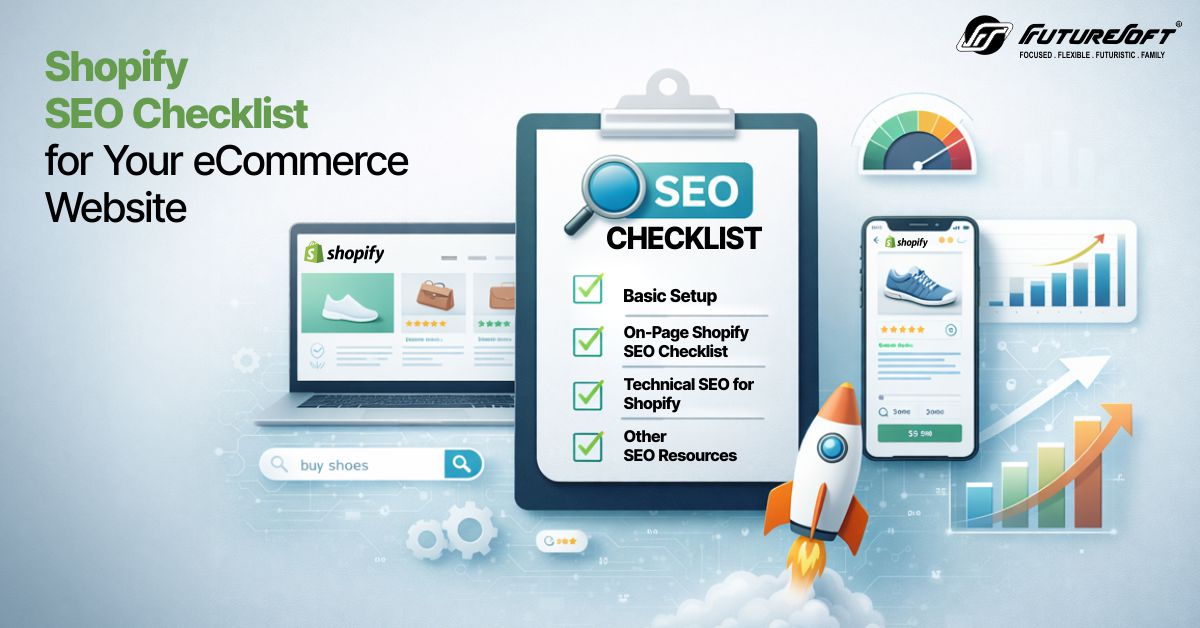
Many eCommerce brands launch a Shopify store with strong products but struggle to gain consistent organic traffic. You might invest in ads, run social campaigns, and still see limited visibility in search results.

When it comes to eCommerce platforms, two platforms stand out from the crowd: Magento and Shopify, especially when it comes to B2B commerce. It breaks down pricing models, customization capabilities, core features, scalability, security, and real-world applicability for businesses planning to launch or migrate to B2B eCommerce.

Choosing the right eCommerce plan can feel like standing at a crossroads with two strong options ahead. On one side, a solution designed to scale with growing businesses; on the other, a powerful upgrade built to handle high-volume brands and complex operations.
We would love to be a part of your journey to success. Let's team up today!